Know what the manual process costs before you quote the automation.
A free one-page canvas for your scoping calls. You and the client cost the manual workflow in hours, errors and delays, so your quote is set against a number they agree with.
What it does for your quotes
What the canvas can change about scoping and quoting an automation.
Faced with a complex decision, a customer’s default choice is often to change nothing.
A case for change
The cost of the problem goes on the page first, in the customer’s own numbers, so the decision becomes a comparison between two figures they understand. It gives them a reason to act, and gives you a business case they helped build.
Time goes into deals that were never going to close.
Time spent on deals that can close
Three questions, asked early and often, let you qualify and disqualify by clear criteria: is there a problem you can solve, is the customer working with you to solve it, and does the cost of the problem justify the cost of your solution?
With several people involved, they can come away with different pictures of the deal.
One page everyone agrees on
The problem and the proposed solution fit on one page that your contact, their boss, finance and your own team can each read in a few minutes.
Where it matters most for you
Informing your price. The canvas isn’t a pricing tool, but it informs pricing decisions. If you’re solving a $100,000 problem, don’t sell the solution for $5,000. If it’s only a $5,000 problem, don’t try to engineer a $100,000 solution.
Charging a monthly retainer or a fee per message? One of the toolkit’s worked examples is a small automation build priced that way, invented for illustration.
The canvas, box by box
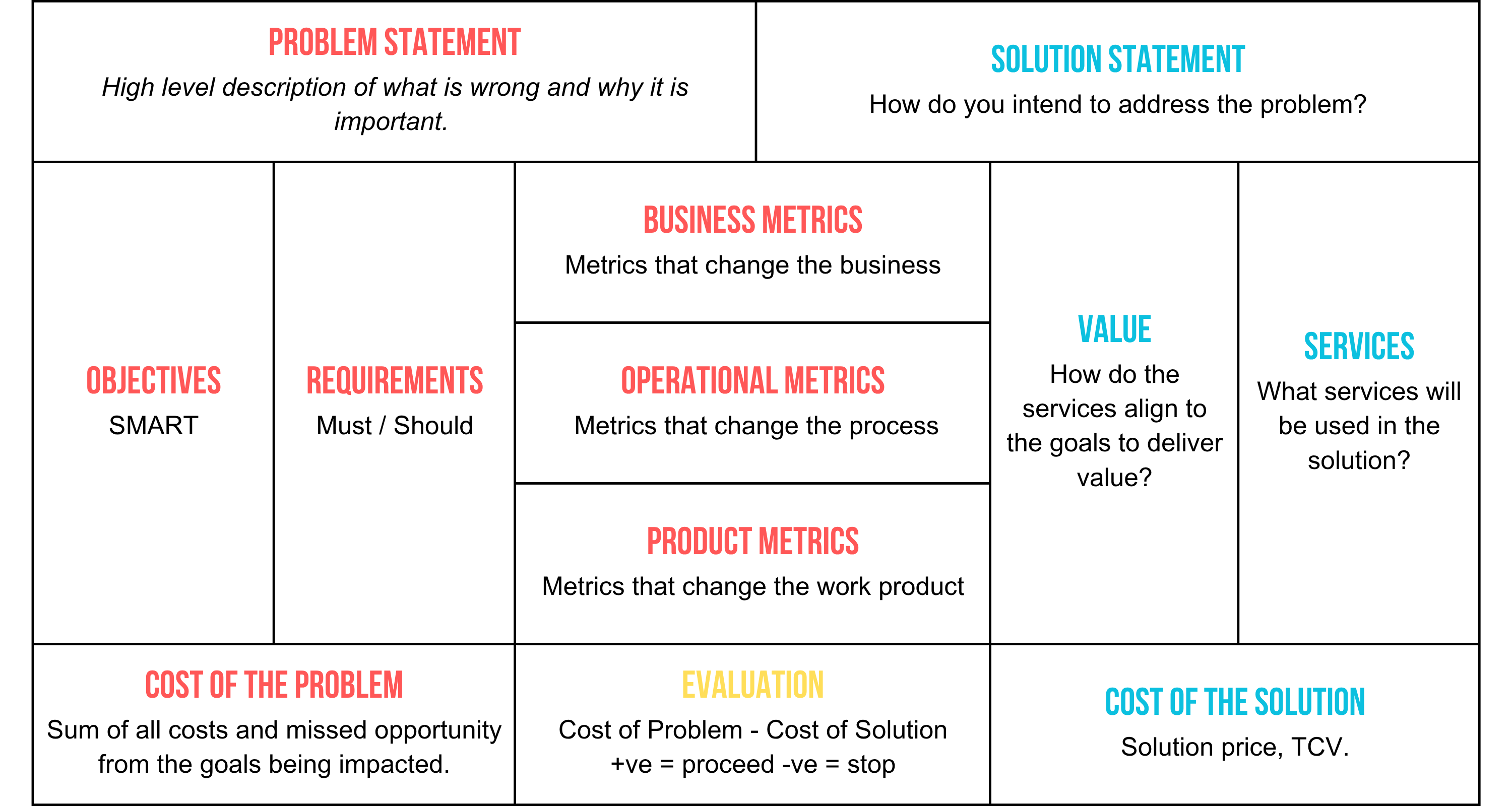
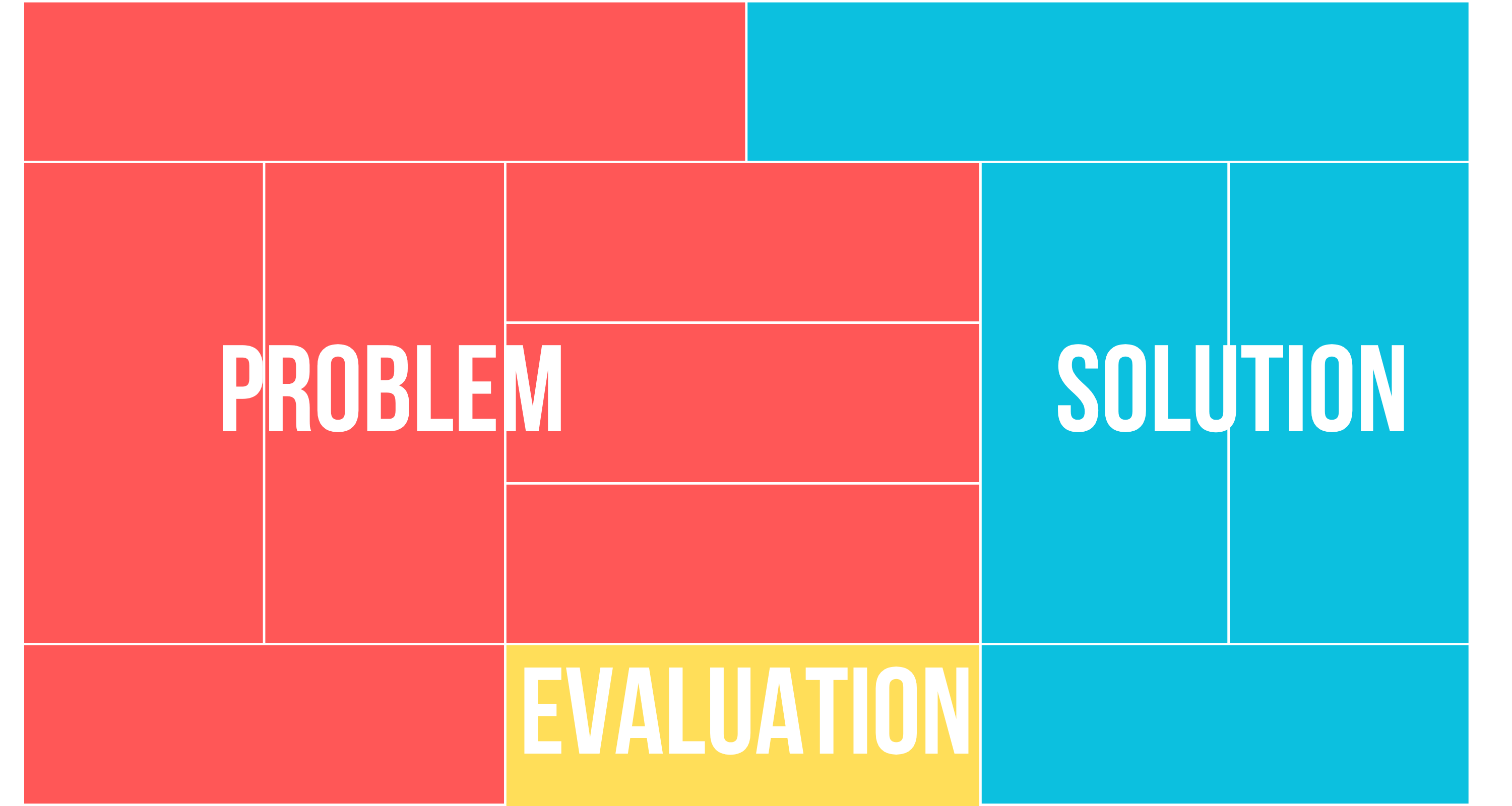
Twelve boxes on one page. The problem goes on the left, the solution on the right, the three metrics in the middle, and the two costs and the evaluation along the bottom. Each box says what goes in it.
+ve = proceed -ve = stop
Get the blank canvas
A client faced with a price, who has yet to appreciate the cost of their problem, is unable to buy.
On a scoping call, the canvas gets the client to describe the workflow they want automated and measure it three ways: business, operational and product metrics. The hours on manual work, the errors and rework, and the delays add up to the cost of the problem.
Then you set out what the automation changes in the same metrics and what you will charge to build and run it. The last box sets the client's cost against your quote, on a page their finance lead can check.
How the canvas works
Problem
Seven boxes. A plain statement of the problem, the customer's objectives and requirements, the three metrics in the middle (business, operational and product), which measure the problem in units the customer already uses, and one figure: the cost of the problem.
Solution
Four boxes. What you propose, the services in it, the value it brings, and the cost of the solution.
Evaluation
One box. The cost of the problem minus the cost of the solution, written as a sum the customer can check. When the solution removes only part of the problem, the sum uses the part it removes.
Who made it

Paul Baillie has worked in enterprise technology since 2003, first running projects and services, then selling cloud and managed services and, more recently, AI infrastructure to large companies. He spent 12 years growing one account from $30m to $110m in annual recurring revenue, and has exceeded quota in each of his 14 years in direct sales. He wrote the canvas down in 2023 to describe the approach he used.
These are Paul’s own results, not a forecast of yours.
When you want the full method
The canvas is free and works on its own. The Solution Strategizer toolkit is what Paul would use to fill it in on a real deal: the 2026 edition of the book, which follows one deal through all twelve boxes; a page of discovery questions for each box; three worked examples with every calculation shown; and templates for the business case, the proposal and the emails around them. It’s $79, with a 30-day refund.
Get the free canvas
The blank canvas as a one-page download, sent to your inbox now. A few short emails follow over the next week or so, including a worked example, and you can unsubscribe from any of them.